
Validated technology
Built on link22’s trusted Data Guard for robust and secure file flow management.
Antivirus and CDR
For maximum protection, files are scanned with multiple antivirus engines. Additionally, support for Glasswall CDR is available as an option.
COTS hardware
link22’s solution uses commercial off the shelf hardware for high performance, cost efficiency, and simplified lifecycle management.
Automatic updates
Automatic antivirus definition updates ensures maximal protection.
Our USB Scanning Station is easy to use
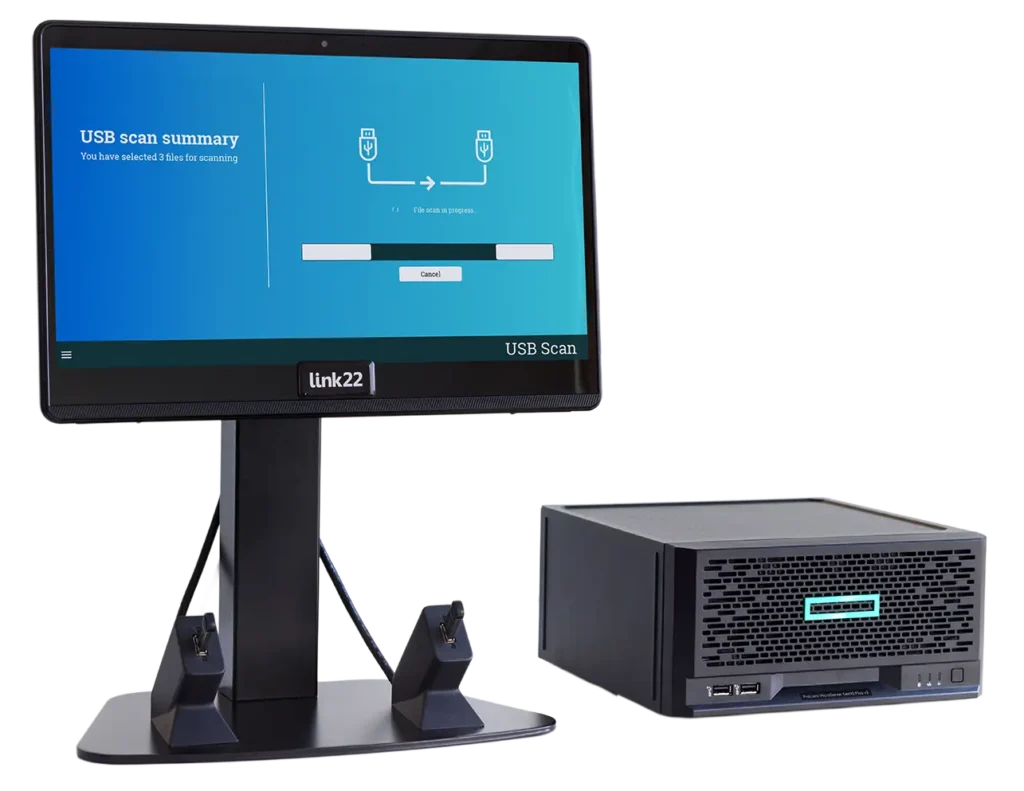
To enhance security, two USB drives are used: one containing the external files and another, clean USB drive, for the approved files. The scan station has two USB ports where the user connects their USB drives. The touchscreen interface allows the user to select the files and folders to scan, which are then processed by multiple antivirus engines. Approved files are transferred to the clean USB drive and are safe for use. Potentially harmful files are blocked, with a clear warning displayed on the screen. All events are logged for traceability.
USB and Portable Media as Attack Vectors
USB drives are an underestimated security risk. Attackers can plant malicious code on USB drives, hoping to infiltrate secure environments. Additionally, USB drives can act as keyboards or mice to execute unauthorized actions, a technique known as Bad USB. Some USB drives, referred to as USB Kill, can physically damage hardware by discharging electrical surges upon insertion, potentially paralyzing entire systems. The link22 USB Scan Solution addresses these risks, enabling the secure use of portable media.
Why the USB Scan Solution is built client-server
Many USB scanning kiosks are a single computer, where the scanning runs in the same box the user stands at. In the USB Scan Solution the two parts are kept apart.
The station has no Wi-Fi or Bluetooth. The server has three separate network ports: for the stations, for administration and for updates. Everything happens on your premises. No files are sent to cloud services, and administrators cannot see the content of users’ files.
The USB Scan Solution is also known as a USB cleaner, USB sanitizer or multiscanner kiosk.
Download documents
USB Scan Solution in depth
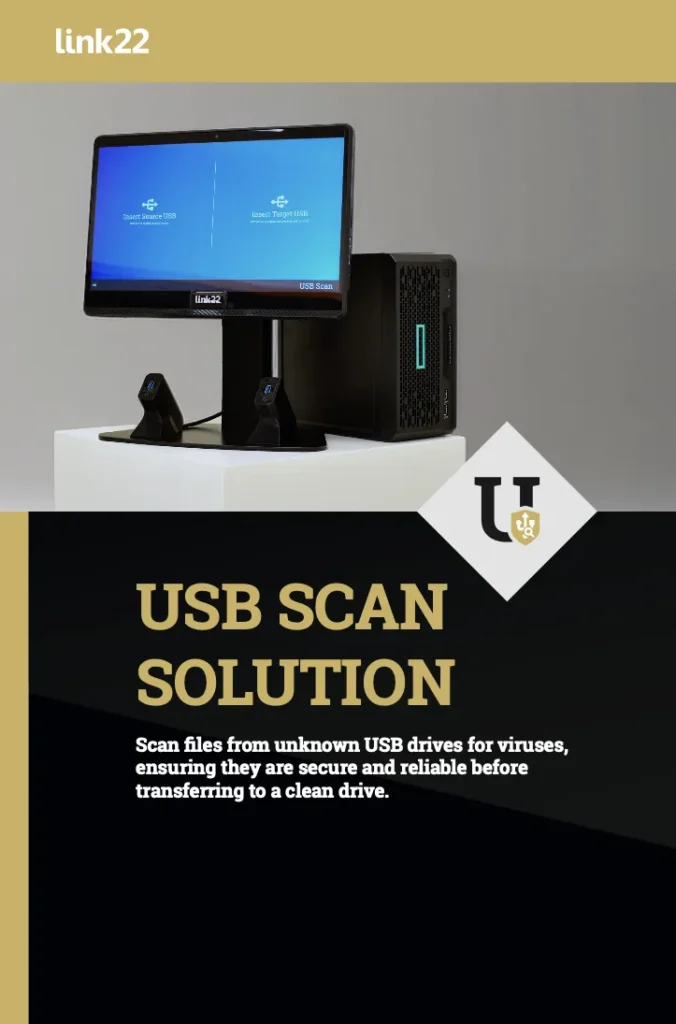
Would you like to access our USB Scan Solution brochure? Please fill in your email address below.
Q&A on USB security
What do NIS2 and ISO 27001 require for removable media?
Neither NIS2 nor ISO 27001 names a product, but both make removable media something you have to control rather than something you can ignore.
NIS2 requires operators of essential and important entities to have policies and technical measures for handling malware, and explicitly covers supply chain security. A USB drive handed over by a contractor is exactly the supply chain the directive is about. It also requires incident handling, which means you need to be able to show what entered your systems and when.
ISO 27001 covers storage media directly in Annex A, requiring controls over media that is brought in, taken out or reused, together with the documented procedures behind those controls.
A USB scanning station is the practical measure that makes both possible day to day. The alternative, a policy stating that USB drives are forbidden, is the control that gets broken most often because people still need to move files.
ISO/IEC 27001:2022 covers this directly in Annex A control 7.10, Storage Media, carried across from ISO/IEC 27002:2022. It requires storage media to be managed through its entire life cycle in line with the organisation’s classification scheme, and it asks specifically for a topic-specific policy covering acquisition, authorisation, use and disposal of removable media. Where confidentiality or integrity is critical, it expects cryptographic protection of the media itself.
NIS2 adds the supply chain angle. It is implemented in Sweden through the Cybersecurity Act (2025:1506), in force since 15 January 2026, with registration required by 30 September 2026.
How do you handle USB drives in an air-gapped network?
The rule is that a USB drive never travels directly from the outside into the protected network. Files pass through a standalone scanning station that is connected to neither network.
In practice: the user brings a USB drive holding the external files and inserts it in one port. A clean, controlled drive belonging to the organisation goes in the other. The station inspects the files and writes only the approved ones to the clean drive. That clean drive is the only medium allowed into the protected network, and it should be labelled and traceable.
The result is that no physical path ever exists where an uncontrolled medium touches the protected system. If someone puts the wrong drive in the wrong port, nothing harmful happens, because the station itself sits outside both networks.
What is the difference between antivirus scanning and CDR, and when do you need both?
Antivirus looks for something it recognises. The engine compares the file against known patterns, applies behavioural analysis, and lets the file through when nothing matches. Genuinely new malware can therefore pass.
CDR, Content Disarm and Reconstruction, works the other way around. It assumes the file may be dangerous regardless of what any engine says, takes it apart, and builds a new file from only the content that belongs there. Macros, embedded scripts and other active content simply do not come across. The trade-off is that some functionality can be lost, for example a spreadsheet where the macros are genuinely needed.
That is why they are used together. Antivirus catches the known, CDR removes the unknown. In link22 USB Scan Solution the antivirus engines are standard and Glasswall CDR is available as an option.
The USB Scan Solution currently runs four antivirus engines: ClamAV, IKARUS, ESET and AVIRA, with further engines added over time and an architecture built to take more. CDR is supplied by Glasswall. File type control uses Apache Tika, so you decide which types are allowed and which are blocked rather than being tied to a fixed list.
What happens to a file that fails the scan, and who can approve an exception?
A file that fails is not written to the clean drive. The user sees on screen which files were blocked and why.
From there the organisation needs a decision already made. Either the file does not come in, which should be the default, or there is a defined route where someone with the right authority makes a judgement. What matters is that the exception is a decision somebody takes and that it can be traced afterwards, rather than something solved by trying another machine.
How does link22 USB Scan Solution compare with OPSWAT MetaDefender Kiosk?
OPSWAT MetaDefender Kiosk is the best known product in this category and the one most buyers compare against. The differences are less about the scanning itself than about what surrounds it.
link22 develops and manufactures in Sweden. That matters in national security procurement, and it is a direct question under the NIS2 supply chain requirements. The solution is also built on the same Data Guard already deployed in cross domain flows for customers with very high requirements, rather than on a separate product line for USB.
The hardware is commercial off-the-shelf rather than a purpose-built kiosk. That lowers the cost per station and simplifies lifecycle management, because a failed screen or an ageing server can be replaced without rebuilding the solution.
And link22 delivers the whole chain. The scanning station is usually the first step, but the same supplier handles the data diode, the content inspection and the accreditation evidence you need to get the system approved. That is rarely true of a company that sells a kiosk.
Can a second person be required to approve a transfer?
Yes, when the scanning station is part of a wider link22 transfer flow. link22 Countersign turns a four-eyes rule into a technical step rather than a verbal agreement: the file is not released until a second, authorised person has signed it. This is used where the consequence of releasing the wrong file is serious enough that automated inspection alone is not considered sufficient.
Countersign can be used together with the USB Scan Solution. Countersign is an add-on module to Data Guard, and the USB Scan Solution runs Data Guard on its server, so the function sits in the same chain.
The reviewer approves or rejects the file in a dedicated application and signs with a smart card. In the final step Data Guard verifies that the file carries the signature of an approved reviewer before releasing it. That turns the four-eyes rule into a technical step rather than a verbal agreement.
Cost Effective Scalability
Multiple scanning stations can connect to a single central server. This allows organizations to deploy a scanning station on every floor or location, all managed through a central system, ensuring cost-efficient administration and resource use.
Swedish Product Development
For over 16 years, significant organisations have relied on link22’s expertise in cybersecurity and information security. We develop cybersecurity products and software through rigorous processes that integrate security into every stage, from architecture to implementation and verification. The USB Scan Solution builds on this tradition, ensuring safety for our clients.
Compatible with Cross Domain Solutions
The link22 USB Scan Solution is part of our Cross Domain Solutions offering, enabling continuous functionality enhancements and integration with additional antivirus engines. It also provides a future-proof solution with migration pathways, allowing files from external USB drives to be securely transferred into secure domains without the need for additional USB drives.
Details about USB Scan Solution
More information
- Flow control between domains.
- Authorization of transfers with consideration for PKI.
- Integrity check of files.
Scans file content using anti-virus engines and filters. - Supports multiple anti-virus engines. Flexible API for adding additional protection.
- Supports “Deep Inspection” Content Disarm Reconstruction as an add-on module.
- Configurable redirection.
- Data redirection based on encrypted metadata.
- All import and export passes through Data Guard, which determines if data is approved for passage based on data and metadata.
- Detailed logging of activities.
Related products
Related


